Enterprise AI Chatbots: How to Build Secure, Useful, and Business-Ready Conversational AI

Introduction
Enterprise teams are under pressure to respond faster, make better use of internal knowledge, and deliver consistent service across channels. Yet useful information is often scattered across documents, databases, CRM and ERP platforms, email, call records, and departmental systems. Employees may spend valuable time searching for answers or repeating routine tasks, while customers wait for support.
Enterprise AI chatbots can help close this gap-but only when they are designed around real business processes. A chatbot that simply produces fluent text is not the same as a dependable enterprise solution. Business-ready conversational AI needs relevant company knowledge, clear access rules, integration with existing systems, measurable performance, and human oversight where decisions carry risk.
This guide explains what enterprise AI chatbots are, where they create value, what to consider before implementation, and how to move from a promising pilot to a solution people can trust.
What Are Enterprise AI Chatbots?
Enterprise AI chatbots are conversational applications that use technologies such as large language models (LLMs), information retrieval, business rules, APIs, and- in more advanced cases- AI agents to help employees or customers complete tasks using natural language.
Unlike a basic scripted bot, an enterprise chatbot may retrieve information from approved company documents, interpret a request in context, summarize records, or call an authorized business tool. For example, an employee might ask about a policy, a service team member might look up a customer request, or a manager might ask a question about operational data.
The exact architecture should fit the job. Some use cases need a straightforward FAQ assistant. Others need retrieval-augmented generation (RAG), structured database queries, voice interaction, or a multi-agent workflow. More complexity is not automatically better: the right solution is the simplest one that meets the business requirement with acceptable risk, quality, and cost.
Why Businesses Are Moving Beyond Traditional Chatbots
Traditional rule-based chatbots are useful when questions and answer paths are predictable. They can struggle when users phrase the same request in different ways, ask follow-up questions, or need information drawn from multiple sources.
Modern enterprise conversational AI can interpret more flexible language and combine a model with approved knowledge sources and tools. This creates several potential benefits:
- Faster access to company knowledge: staff can ask questions in everyday language rather than navigate multiple repositories.
- More consistent service: a well-governed assistant can use approved information and response patterns across common interactions.
- Less repetitive work: chatbots can help classify requests, summarize conversations, draft responses, and route tasks.
- Better employee experience: internal assistants can support onboarding, IT help desks, HR policy discovery, and procedural guidance.
- More useful data: conversation themes and unresolved questions can reveal knowledge gaps and recurring operational friction.
These are potential outcomes, not automatic guarantees. Results depend on data quality, process design, integration, user adoption, and ongoing measurement.
Enterprise AI Chatbot Use Cases
- Customer service and contact centers
A customer-facing assistant can answer common questions, guide users through service options, collect information, and route complex cases to a human. When connected to a contact-center workflow, voice AI may also support inbound calls, outbound reminders, call summaries, and CRM updates. High-impact actions- such as refunds, account changes, or contractual commitments- should remain subject to explicit authorization and appropriate human review. - Employee knowledge and help-desk support
An internal assistant can search approved policies, product documentation, standard operating procedures, and technical knowledge. Answers should point employees to relevant source material so they can verify important details. Access permissions must carry through to the retrieval layer: a chatbot should not reveal a document simply because it can find it. - Sales and service operations
Conversational AI can help staff prepare for customer conversations, summarize interaction history, draft follow-ups, classify incoming requests, and retrieve product or service information. Connected workflows can reduce manual handoffs, provided the system records actions and allows staff to correct mistakes. - Document processing and knowledge extraction
Many organizations still handle invoices, contracts, scanned forms, and other semi-structured documents manually. AI-assisted document processing can recognize text, identify fields, classify records, and send extracted information into a review queue or business system. Confidence checks and human verification are especially important for financial, legal, or identity-related data. - Business intelligence and management reporting
A natural-language interface can make operational data easier to explore. Instead of manually combining spreadsheets, a manager may ask a question about sales, costs, or service performance. For dependable results, the system needs governed data definitions, controlled query access, traceable sources, and clear explanations of the reporting period and filters used. - Meetings and multilingual communication
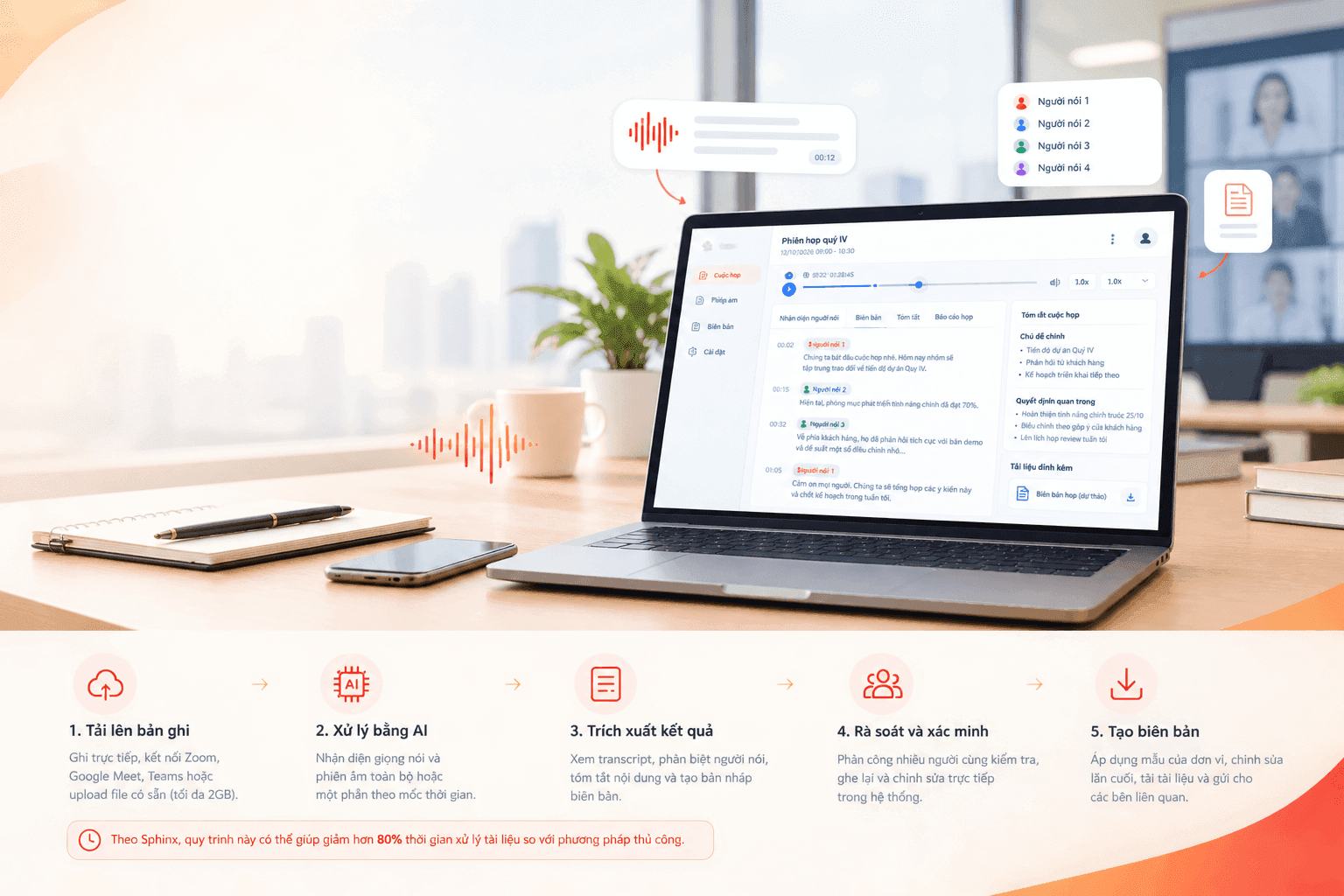
AI can transcribe meetings, separate speakers, summarize decisions and action items, and help participants work across languages. In international events or distributed teams, speech-to-text and AI interpretation can reduce friction. Accuracy should be evaluated for accents, domain terminology, noisy environments, and the languages used in real situations.
What Makes an Enterprise Chatbot Different?
A business-ready chatbot is not defined by its chat window. It is defined by the systems, controls, and operating practices behind it.
Grounded answers. Retrieval-augmented generation (RAG) connects a language model to selected knowledge sources so responses can be based on relevant company information. RAG can improve grounding, but it does not eliminate errors. Retrieval quality, document freshness, source attribution, and answer evaluation all matter.
Identity and permissions. Authentication and role-based access controls should determine which users can retrieve which information and invoke which actions. Authorization must be enforced by the application and connected systems- not left to the model’s judgment.
Integration. Enterprise chatbots often need to connect to CRM, ERP, databases, ticketing systems, document stores, or APIs. Integrations should be scoped to the specific task, use least-privilege access, and validate inputs and outputs.
Security and governance. Organizations should assess sensitive data exposure, prompt injection, unsafe outputs, retention, auditability, and third-party dependencies. Logging should support troubleshooting and accountability without collecting unnecessary sensitive content.
Human oversight. Some requests can be answered automatically; others need confirmation, escalation, or review. Define the boundary before launch, especially where an action affects money, legal obligations, personal data, or customer commitments.
Monitoring and improvement. Track quality, response time, failure patterns, user feedback, usage, and cost. A chatbot is an operational product that requires maintenance- not a one-time deployment.
How to Implement Enterprise AI Chatbots: A Practical Roadmap
Step 1: Choose one measurable business problem
Start with a specific workflow rather than a broad ambition to “use AI.” Examples include reducing time spent finding policy answers, speeding up first-line support, or extracting defined fields from incoming documents. Establish a baseline and agree on the intended outcome.
Step 2: Map users, data, and workflow boundaries
Identify who will use the chatbot, what they need to accomplish, where the relevant information lives, and which actions the system may take. Document data owners, access levels, escalation paths, and prohibited actions.
Step 3: Assess knowledge readiness
Review document quality, duplication, outdated content, ownership, and permissions. Decide which sources are authoritative and how updates will reach the chatbot. If the data is unreliable, improving the knowledge base may be more valuable than changing the model.
Step 4: Select the right technical approach
A rules-based bot may be enough for a fixed process. RAG may fit question answering over internal documents. Structured queries may be more appropriate for well-defined metrics, while agentic workflows can coordinate several tools or steps. Choose the architecture based on requirements for accuracy, latency, privacy, scale, and maintainability.
Step 5: Prototype with representative tasks
Test with real-world questions, including ambiguous wording, follow-up questions, missing information, and attempts to access restricted content. Involve the employees who will use the solution and the teams responsible for the underlying data.
Step 6: Evaluate more than fluency
Create a test set and assess factual correctness, source relevance, completeness, permission handling, refusal behavior, response time, and cost. Include difficult and adversarial cases. Define acceptable thresholds before launch, and make clear when the system should say it does not know.
Step 7: Integrate and deploy securely
Connect only the systems needed for the use case. Apply authentication, authorization, secret management, network controls, logging, and rate limits. Select a cloud or on-premise deployment model based on the organization’s security, compliance, infrastructure, and operating requirements.
Step 8: Launch with users and improve continuously
Provide clear usage guidance, collect feedback, monitor failure patterns, and review knowledge freshness. Expand to more teams only after the first use case demonstrates acceptable performance and operational value.
Common Mistakes to Avoid
Treating the model as the whole product. A strong model cannot compensate for inaccurate source documents, weak permissions, or a poorly designed workflow.
Connecting every data source at once. Start with the sources needed for the chosen use case. Broad access increases complexity and may increase the risk of exposing information unnecessarily.
Measuring success by demo quality. A compelling demonstration is not evidence of production readiness. Test with real users, real data patterns, and failure scenarios.
Giving agents excessive authority. A chatbot that can read information should not automatically be allowed to change records or trigger consequential actions. Apply least privilege, validate each tool call, and require confirmation for high-impact actions.
Ignoring the cost of ownership. Include model usage, hosting, integration, evaluation, monitoring, data preparation, and ongoing maintenance in the business case.
Launching without adoption planning. Users need to know what the chatbot can do, where its answers come from, and when to verify or escalate. Trust grows when limitations are transparent and feedback leads to visible improvements.
How to Measure Business Value
Define success metrics before development and align them with the selected workflow. Useful measures may include:
- Resolution rate: the share of eligible requests completed without avoidable escalation.
- Answer quality: factual correctness, source relevance, and completeness on a representative test set.
- Time saved: change in handling time or time required to find information.
- User experience: satisfaction, repeat usage, and feedback from employees or customers.
- Workflow impact: reduction in manual steps, rework, or avoidable handoffs.
- Risk and reliability: permission violations, unsupported answers, escalation accuracy, uptime, and incident frequency.
- Cost per successful task: the operating cost associated with a useful outcome, not merely the number of messages generated.
Compare results with a baseline and review them regularly. A higher volume of chatbot conversations is not, by itself, proof of business value.
How Sphinx Helps Organizations Apply Enterprise AI
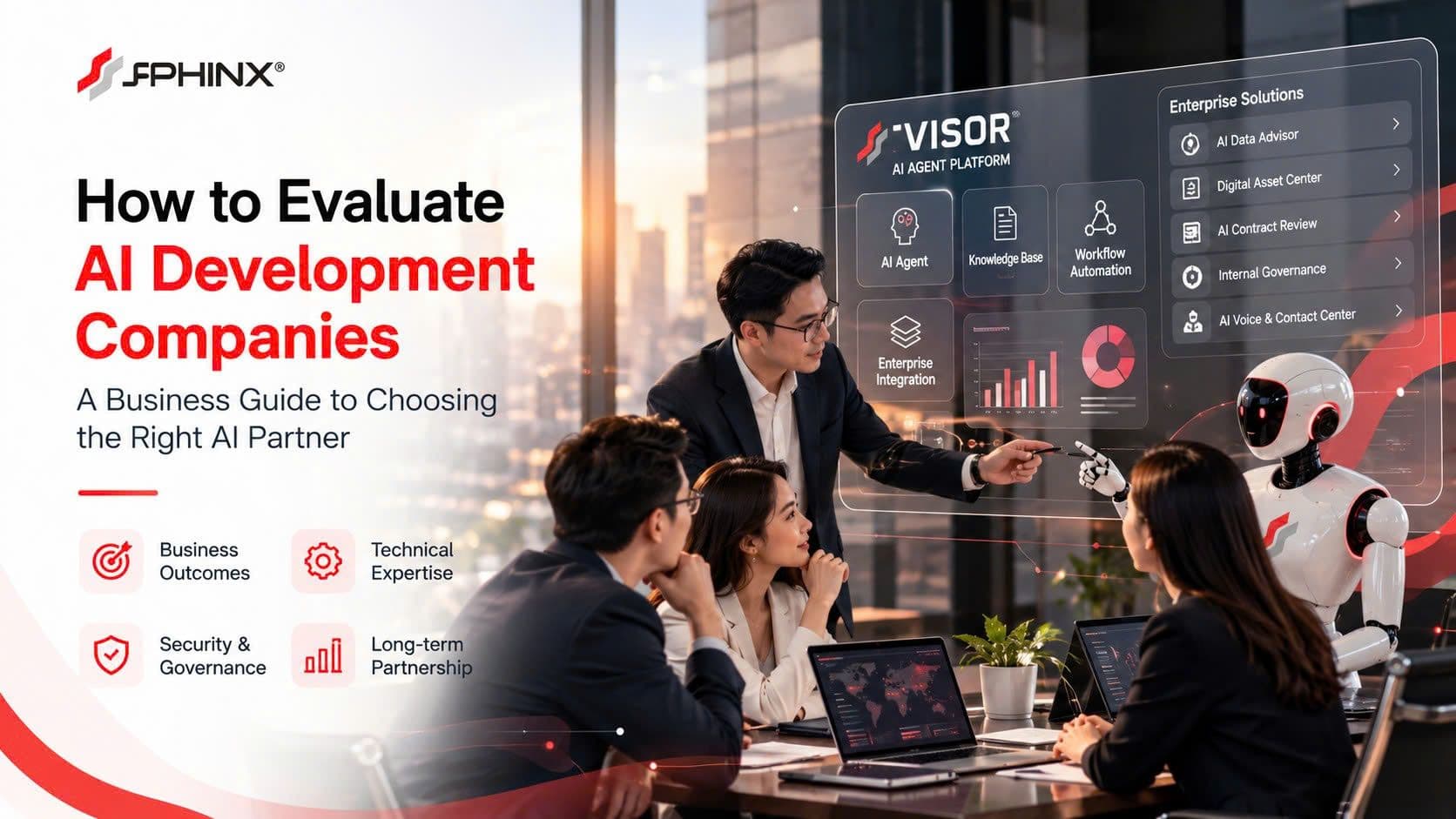
Sphinx JSC develops AI capabilities around two core areas: Voice AI and the S-Visor AI Agentic Platform. The aim is to connect conversational interfaces with practical business workflows, data, and operational systems.
S-Visor AI Agentic Platform
S-Visor supports a multi-agent approach that can analyze a request, select an appropriate agent, coordinate processing, and combine results. The platform concept includes knowledge-base management, agent configuration, user permissions, and connections to enterprise data and systems. This can be relevant when a business needs more than a standalone FAQ chatbot—for example, a workflow that retrieves information from several approved sources and produces a structured result.
AI solutions across the workflow
• Smart Contact Center: AI-assisted inbound and outbound calling for routine enquiries, reminders, lead qualification, and workflow updates, with integration possibilities for CRM or service systems.
• Meeting Transcription and Reporting: convert meeting recordings into searchable text, associate text with timestamps, and help produce summaries, decisions, and action items.
• Digital Asset Center: support OCR and document understanding for scanned files, forms, and business documents, with structured extraction and review.
• Executive Data Advisor: enable natural-language questions over approved business data and knowledge sources, with reporting and source transparency.
• S-Visor AI Interpreter: support real-time multilingual communication for international meetings and events.
• Smart Robot Receptionist: support visitor greetings, directions, and information delivery in suitable physical environments.
Deployment and integration
The Sphinx AI ecosystem describes both on-premise deployment for organizations that need their own infrastructure and cloud deployment for flexible scaling. Integration options include databases, APIs, webhooks, and ERP/CRM systems. The appropriate setup depends on the use case, security requirements, data environment, and expected workload; implementation details should be validated during discovery.
The right starting point is not necessarily a large transformation program. It may be a focused proof of concept around one high-friction workflow, with clear success criteria and a practical path to production.
A Practical Next Step: Turn an AI Idea into a Business Case
If your organization is exploring enterprise AI chatbots, start by identifying one recurring problem that is costly, slow, difficult to scale, or dependent on fragmented information.
Use these questions to prepare for a discovery discussion:
• Which users and workflow should the first solution support?
• What information does it need, and who is authorized to access it?
• Should it answer questions, process documents, interact by voice, or trigger business actions?
• Which systems must it integrate with?
• What risks require human review or approval?
• Which baseline metrics will prove whether the pilot is useful?
Sphinx can work with your team to assess the use case, map the data and integration requirements, and identify a suitable starting point across Voice AI and AI Agentic capabilities.
Enterprise AI chatbots deliver lasting value when they are grounded in trusted information, connected to real workflows, governed carefully, and measured against business outcomes. Begin with a clear problem, build the right controls into the design, and expand only when evidence shows that the solution is working.