


As digital products become more deeply embedded in everyday life and enterprise operations, app design in 2026 is no longer about visual appeal alone. It is a strategic discipline that combines user psychology, business objectives, platform capabilities, and emerging technologies. Modern app design must anticipate user intent, adapt to contextual usage, and scale seamlessly across devices and ecosystems.
In this blog, we take a deep dive into app design for 2026, from foundational concepts to advanced design principles, platform considerations, emerging trends, and the tools shaping the next generation of digital experiences.
자세히 보기 Client Review: Mobile App Development for UI/UX Design Company
What Is App Design?
App design refers to the process of planning, structuring, and shaping the visual, interactive, and experiential aspects of a mobile or web application. It sits at the intersection of user experience (UX) design, user interface (UI) design, interaction design, and product strategy.
In 2026, app design extends far beyond screens and buttons. Designers are expected to understand how users think, behave, and make decisions in real-world contexts. App design now includes:
- Defining user journeys and task flows based on real usage scenarios
- Structuring information to reduce cognitive load
- Designing interfaces that feel intuitive across cultures and devices
- Collaborating closely with developers, product managers, and data teams
A well-designed app does not simply look good. It feels effortless to use, anticipates user needs, and supports measurable business outcomes such as retention, conversion, and long-term engagement.
Core Principles Behind Effective App Design in 2026
While tools and trends evolve, certain principles remain critical to building successful apps. However, in 2026 these principles are applied with greater depth, data support, and technological awareness.
User intent over feature volume
Modern apps prioritize clarity of purpose. Instead of packing interfaces with features, designers focus on the primary intent behind each user interaction. Every screen must answer one clear question: what is the user trying to achieve at this moment?
Context-aware experiences
Apps increasingly adapt to context such as location, time, device type, usage history, and even behavioral patterns. Effective app design in 2026 accounts for these variables, creating interfaces that feel personalized without being intrusive.
Consistency with flexibility
Design systems ensure consistency across screens and platforms, but rigid uniformity is no longer enough. Designers must allow flexibility for different user segments, accessibility needs, and evolving product features.
Accessibility as a baseline
Accessibility is not an add-on. Color contrast, typography scalability, voice interaction support, and assistive navigation are now expected from the earliest design stages. Inclusive design directly impacts user reach and regulatory compliance.
Performance-driven design
Visual elegance cannot come at the cost of speed or stability. Designers work closely with engineering teams to ensure animations, transitions, and layouts enhance usability without degrading performance.
Designing for iOS or Android in 2026: Strategic Considerations
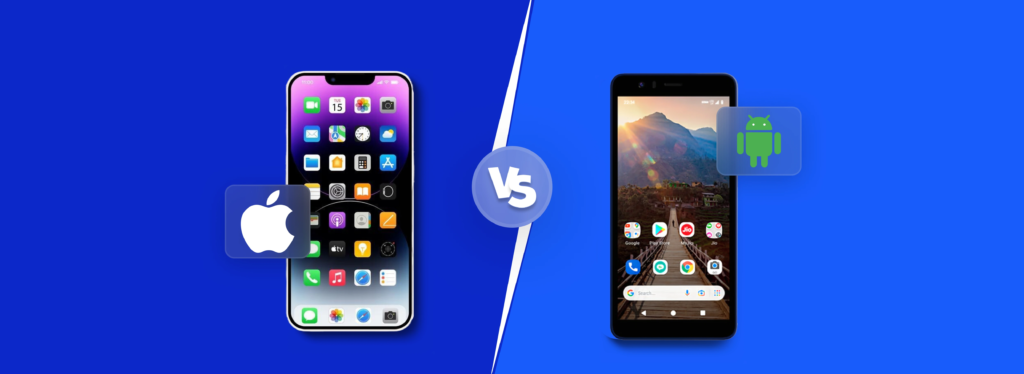
Choosing between iOS, Android, or a cross-platform approach is a strategic decision that influences user experience quality, development efficiency, and long-term scalability. In 2026, designers must understand the distinct expectations and constraints of each option to make informed choices.
Designing for iOS
iOS design in 2026 continues to emphasize refinement, predictability, and strong alignment with Apple’s ecosystem. Users expect apps to feel familiar, smooth, and premium, with close adherence to Human Interface Guidelines shaping layout, navigation, and interaction patterns.
iOS interfaces typically prioritize clarity over density. Generous spacing, clear visual hierarchy, and carefully designed micro-interactions help communicate system feedback and enhance perceived quality without overwhelming the user.
Designing for iOS also means thinking beyond a single device. Apps are often part of a multi-device experience across iPhone, iPad, Apple Watch, and macOS, requiring consistent interaction logic, responsive layouts, and careful handling of privacy, performance, and monetization flows.
Designing for Android
Android design in 2026 is defined by scale and diversity. With a wide range of devices, screen sizes, and hardware capabilities, designers must build flexible interfaces that adapt smoothly across different contexts and usage conditions.
Material Design provides a common foundation, but it is applied with greater variation than on iOS. Responsive grids, adaptive components, and scalable typography are essential to maintain usability across both high-end and resource-constrained devices.
Performance plays a central role in Android app design. Efficient navigation, lightweight visual elements, and graceful handling of limited connectivity help ensure a consistent experience despite differences in devices and operating environments.
Cross-Platform Design
Cross-platform design is key for products targeting wide or international audiences. The main goal is to balance development efficiency with a consistent user experience.
Designers start with a shared foundation core flows, architecture, and brand elements supported by a robust design system. Interaction details like gestures and navigation are then adapted for each platform, ensuring the app feels natural on iOS and Android.
Long-term, cross-platform design focuses on coherence rather than uniformity, delivering a recognizable product that respects each platform’s nuances while remaining scalable and maintainable.
App Design Trends Shaping 2026
App design trends in 2026 reflect broader shifts in technology, user expectations, and digital maturity. These trends are not about visual novelty, but about solving real usability and scalability challenges.
AI-assisted personalization
Artificial intelligence plays an increasing role in shaping user interfaces dynamically. Layouts, content prioritization, and interaction paths can adapt based on individual behavior patterns, improving relevance and engagement.
Voice and multimodal interfaces
Touch is no longer the sole mode of interaction. Voice commands, gesture-based navigation, and hybrid input methods are becoming more common, especially in productivity, healthcare, and smart device ecosystems.
Reduced interface complexity
Rather than adding more elements, designers are removing friction. Progressive disclosure, contextual menus, and minimalist layouts help users focus on tasks without feeling overwhelmed.
Motion with purpose
Animations in 2026 are subtle, functional, and informative. Motion is used to guide attention, explain state changes, and reinforce hierarchy, not to decorate screens.
Design systems at scale
As products grow across regions and use cases, scalable design systems become essential. These systems are living frameworks that evolve alongside product strategy, not static style guides.
Privacy-aware design
With increasing awareness of data protection, designers must communicate transparency and control clearly. Consent flows, data usage explanations, and privacy settings are now key parts of the user experience.
Top Tools for App Designers in 2026
In 2026, app designers rely on a mature set of tools that support modern workflows across UI design, prototyping, and collaboration.
Figma
Figma is a cloud-native interface design and collaboration platform used as the primary design tool in many modern product teams. It supports UI design, interactive prototyping, and large-scale design system management within a single environment.
Pros:
- Real-time collaboration for designers, developers, and stakeholders in a single file
- Strong support for design systems, reusable components, and design tokens
- Built-in prototyping, version history, and developer inspection
- Reduces friction between design and engineering teams
Cons:
- Fully cloud-based, which may conflict with strict security or compliance requirements
- Performance can degrade with very large files or poorly structured design systems
Sketch
Sketch is a macOS-based UI design tool that has long been popular among iOS-focused and design-led teams. It is primarily used for high-fidelity interface design rather than full workflow management.
Pros:
- Lightweight and fast, especially for detailed UI design
- Precise control over layouts and reusable symbols
- Deep integration with macOS and Apple-centric workflows
Cons:
- Limited native collaboration features
- Heavy reliance on third-party plugins for prototyping and handoff
- Less suitable for large or distributed teams
Adobe XD
Adobe XD is an interface design and prototyping tool positioned within the Adobe Creative Cloud ecosystem. It is often used by designers who work across branding, visual design, and product design.
Pros:
- Seamless integration with Photoshop and Illustrator
- Supports wireframing, UI design, and interactive prototyping
- Familiar environment for teams already using Adobe tools
Cons:
- Slower feature development compared to leading competitors
- Smaller plugin ecosystem
- Less flexible for complex or fast-scaling product teams
Framer
Framer is a design and prototyping tool focused on creating highly realistic, interaction-rich prototypes that closely resemble production behavior.
Pros:
- Excellent for complex animations, gestures, and transitions
- Produces prototypes that closely match real app behavior
- Useful for validating motion-heavy or interaction-driven concepts
Cons:
- Steep learning curve for non-technical designers
- Not ideal for early-stage wireframing or large UI libraries
- Typically used alongside a primary design tool
Axure RP
Axure RP is a prototyping tool designed for complex, logic-driven user flows. It enables designers to create conditional interactions, dynamic content, and detailed simulations without coding. Axure is ideal for enterprise or system-heavy applications, internal tools, and products with intricate workflows.
Pros:
- Strong support for conditional logic and dynamic content
- Allows simulation of complex user flows without code
- Well-suited for enterprise and system-level prototyping
Cons:
- Outdated interface compared to modern design tools
- Limited visual design capabilities
- Not ideal for high-fidelity UI or design system work
ProtoPie
ProtoPie is a high-fidelity interaction prototyping tool that allows designers to simulate real device behavior including gestures, sensors, and voice input. It is typically used after UI design is completed, when teams need to validate complex interactions and edge cases before development.
Pros:
- Supports gestures, sensors, voice input, and conditional logic
- Enables realistic usability testing without coding
- Integrates well with Figma and Sketch
Cons:
- Focused solely on interaction prototyping, not UI design
- Higher learning curve than basic prototyping tools
- Limited value for simple or linear app flows
Principle
Principle is a motion design tool focused on designing and refining animations and micro-interactions in mobile applications. It allows designers to simulate how UI elements move, respond, and transition, helping teams polish interaction details that significantly influence perceived quality.
Pros:
- Precise control over animation timing, easing, and interaction states
- Ideal for designing and testing micro-interactions
- Helps communicate motion intent to developers clearly
Cons:
- No collaboration or design system support
- Cannot function as a standalone app design tool
- Requires manual handoff
Zeplin
Zeplin is a developer handoff platform that translates visual design files into technical specifications. It automates the communication of spacing, typography, colors, and assets between designers and developers, reducing interpretation errors.
Pros:
- Automatically generates spacing, typography, and asset specifications
- Reduces ambiguity in design-to-development handoff
- Useful for teams lacking unified design environments
Cons:
- Redundant in Figma-centric workflows
- Adds an extra step in the process
- Limited value outside handoff
Balsamiq
Balsamiq is a low-fidelity wireframing tool intended for early-stage ideation and UX alignment. Its sketch-like interface encourages focus on user flows and structure rather than visual polish.
Pros:
- Fast for sketching layouts and user flows
- Keeps focus on UX structure rather than visual design
- Accessible for non-design stakeholders
Cons:
- Not suitable for detailed UI design
- Cannot produce production-ready assets
- Limited usefulness beyond early design phases
UXPin
UXPin is a component-driven design and prototyping platform that allows designers to create interactive components with states, logic, and real-data simulation. It is designed for teams managing complex design systems and building scalable products where design fidelity must align closely with development behavior.
Pros:
- Strong support for reusable components and design systems
- Enables prototyping with logic and real states
- Bridges design and front-end development
Cons:
- Steeper learning curve for visual-first designers
- Higher cost compared to simpler tools
- Overpowered for small teams or early-stage products
Best Practices for Creating a User-Friendly App
A successful app combines visual appeal with ease of use. Prioritizing the user’s experience ensures higher engagement and long-term retention.
- Adapt Your Design for Every Device: Make sure your app works seamlessly on phones, tablets, and desktops. Use flexible layouts, scalable images, and responsive grids so buttons, menus, and text remain easy to use on any screen. For example, a form that fits neatly on a desktop should automatically adjust for easy scrolling on a smartphone.
- Deliver Fast and Predictable Performance: Users quickly lose patience with slow apps. Optimize loading times, pre-load critical content, and avoid heavy animations that can lag on older devices. Even subtle improvements, like immediate visual feedback when a button is tapped, make the app feel faster and more reliable.
- Highlight Key Actions Clearly: Guide users toward important actions with clear visual cues. Make buttons for “Sign Up,” “Purchase,” or “Next Step” stand out using contrasting colors, consistent placement, and concise labels. Tooltips or brief hints can also help users understand the next steps without guesswork.
- Keep the Interface Focused and Minimal: Remove clutter and distractions that pull attention away from essential tasks. Limit pop-ups, unnecessary text, and redundant icons. For example, only display critical notifications and use whitespace strategically to help users concentrate on completing a task efficiently.
Final Thought
The landscape of app design in 2026 is defined by seamless experiences, intuitive interfaces, and tools that empower both designers and users. By embracing trends like responsive layouts, minimalistic interfaces, and clear user guidance, businesses can create apps that feel natural and engaging across all devices.
At 스핑크스, we specialize in turning these principles into high-performing applications that delight users and drive tangible results. Staying ahead in app design is not just about following trends; it is about crafting meaningful experiences that connect with users and support long-term success.



CEO - Son Le
기타 블로그
블로그
AI Chatbot Applications: Benefits, Use Cases, and Future Trends
Artificial Intelligence (AI) is rapidly transforming the way businesses communicate with customers, automate workflows, and deliver personalized experiences. At the center of this transformation is the AI chatbot, an intelligent virtual assistant capable of understanding natural language, answering questions, and supporting users across websites, mobile apps, and messaging platforms. As...
자세히 보기블로그
How AI Is Revolutionizing Hotel Operations and Revenue
The hospitality industry is undergoing one of its biggest transformations in decades. As guest expectations continue to rise and operational costs increase, hotels are turning to Artificial Intelligence (AI) to stay competitive. From maximizing room revenue to delivering personalized guest experiences, AI is no longer a futuristic concept. It has...
자세히 보기블로그
AI Chatbots in Hospitality: Drive Bookings & Better Service
The hospitality industry is rapidly embracing AI as guest expectations continue to evolve. Today’s travelers expect instant responses, personalized recommendations, and seamless communication throughout their booking journey. To meet these demands while improving operational efficiency, more hotels are turning to AI chatbots. Modern AI chatbots do far more than answer...
자세히 보기기타 블로그
서비스
IoT 개발
SphinX는 최첨단 IoT 개발 서비스를 제공하여 디바이스를 원활하게 연결하고 혁신적인 솔루션을 제공합니다.
테마서비스
블록체인 개발
우리는 신뢰할 수 있고 안전한 블록체인 기술을 처음부터 설계하는 데 매우 능숙하며, ...
테마서비스
ERP 및 CRM 개발
필요한 ERP & CRM 개발 서비스! 비즈니스 프로세스 간소화 및 조직 효율성 향상....
테마기타 블로그
서비스
IoT 개발
SphinX는 최첨단 IoT 개발 서비스를 제공하여 디바이스를 원활하게 연결하고 혁신적인 솔루션을 제공합니다.
테마서비스
블록체인 개발
우리는 신뢰할 수 있고 안전한 블록체인 기술을 처음부터 설계하는 데 매우 능숙하며, ...
테마서비스
ERP 및 CRM 개발
필요한 ERP & CRM 개발 서비스! 비즈니스 프로세스 간소화 및 조직 효율성 향상....
테마